
Go to Windows platform Display platforms icon
Go to Windows platform Go to Mac platform Go to Android platform Go to iOS platform
Outlook on the Desktop icon

Outlook on the Desktop

5.0.210.0
5 1 reviews
71 k downloads
security security

Keep the Outlook calendar always on your desktop

Advertisement
Remove ads and more with Turbo
Advertisement
Remove ads and more with Turbo
Andrés López icon
Reviewed by
Andrés López
Content Editor
Andrés López is part of Uptodown's in-house Editorial Team. Translated by Uptodown Localization Team

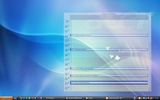
Outlook on the Desktop is a very lightweight software that allows you to place the Outlook calendar directly on your desktop, so you can view and interact with it without needing to open multiple windows. This way, not only will you be able to see all your appointments and commitments at a glance, but you will also be able to quickly add information to the calendar.

Only works with classic Outlook

It's very important to note that Outlook on the Desktop only works with the classic version of Outlook. If you only have the new version installed, which is the one Microsoft installs by default on most modern computers, you will not be able to use the program. Fortunately, although it's integrated into Office 365, it's possible to install the classic version of Outlook without much trouble. Only then will you be able to use this app and pin the calendar to your desktop.

Advertisement
Remove ads and more with Turbo

Keep the Outlook calendar on your desktop

The first thing to keep in mind when using Outlook on the Desktop is that the calendar you can pin to the desktop is, for all intents and purposes, the Outlook one. This means that you will have all the usual features available. That is, you will be able to create new events, edit existing ones, or delete any appointment. Additionally, you can customize the appearance of the calendar however you like. You will be able to make it semi-transparent or, if you prefer, make it completely opaque. It's up to you. You will also be able to adjust the size and the type of view.

My thoughts on Outlook on the Desktop

Having a calendar always visible is one of those things that anyone who works in front of a PC will greatly appreciate. Thanks to Outlook on the Desktop, it's possible to keep the Outlook calendar always in view and always accessible. And that is very useful.

The best and the worst of Outlook on the Desktop

• What I like most about Outlook on the Desktop is that it allows you to manage your calendar in a quick and easy way from your PC desktop.

• What I like least about Outlook on the Desktop is that it doesn't work with the new version of Outlook. Most computers no longer come with the classic version installed, making it a bit of a hassle.

Use the Outlook calendar from your desktop

Download Outlook on the Desktop if you regularly use the Outlook calendar and want to have it always at hand. Thanks to this app, you will be able to add any item to the calendar and, more importantly, you will be able to see all your future appointments and commitments at a glance.

Outlook on the Desktop is for you if

✓ You want your Outlook calendar always visible without juggling multiple windows
✓ You need to add, edit, or delete appointments directly from the desktop calendar
✓ You value customizing calendar size, transparency, and views while keeping classic Outlook features intact

Information about Outlook on the Desktop 5.0.210.0

Basic information

Developer Michael Scrivo
Category Email
Rating Not specified
Languages English

Distribution model

Pricing Free
License Proprietary
Copyright © 2026 Michael Scrivo
Why is this app published on Uptodown? (More information)

Security and privacy

Required permissions Not applicable
See security and antivirus report

Download info

Downloads 70,986
Date Mar 24, 2026
File type EXE
Size 4.1 MB
SHA256 f9ca26c71caf708b4704a3499777f9472f73cd59b9a843526a76975f31e986be
Advertisement
Remove ads and more with Turbo

Older versions

exe 1.5.2 Apr 2, 2009

Rate this App

Review the app
Outlook on the Desktop icon

Rating

5.0
5
4
3
2
1
1 reviews

Comments

massivebluemouse67847 icon
massivebluemouse67847
in 2020

very good

29
Reply
Advertisement
Remove ads and more with Turbo
Outlook icon
Microsoft's official email client
DNS Benchmark icon
Optimize the performance of your DNS servers
Thunderbird icon
A free and secure email manager
Technitium MAC Address Changer icon
Modify the MAC address of any network adapter
Tiger Location Changer icon
Transform any space instantly
Windows Mail and Calendar icon
Official email and calendar app on Windows
Microsoft Outlook icon
A multi-featured, efficient email client
MagFone Location Changer icon
Modify Mobile Device's GPS Location with MagFone Location Changer
Google Chrome icon
Fast, clean and easy web browsing courtesy of Google
Opera icon
Robust, versatile and customizable browser
Snap Camera icon
Add fun Snapchat filters to your PC camera
SSuite NetSurfer Prometheus icon
The ultimate browser for modernized web surfing excellence!
Uptodown Desktop icon
Access Uptodown natively on Windows
WhatsApp Desktop icon
The official WhatsApp app for Windows
Proton VPN icon
Powerful, free, secure and unlimited VPN
Hotspot Shield VPN icon
Surf the Internet securely and anonymously